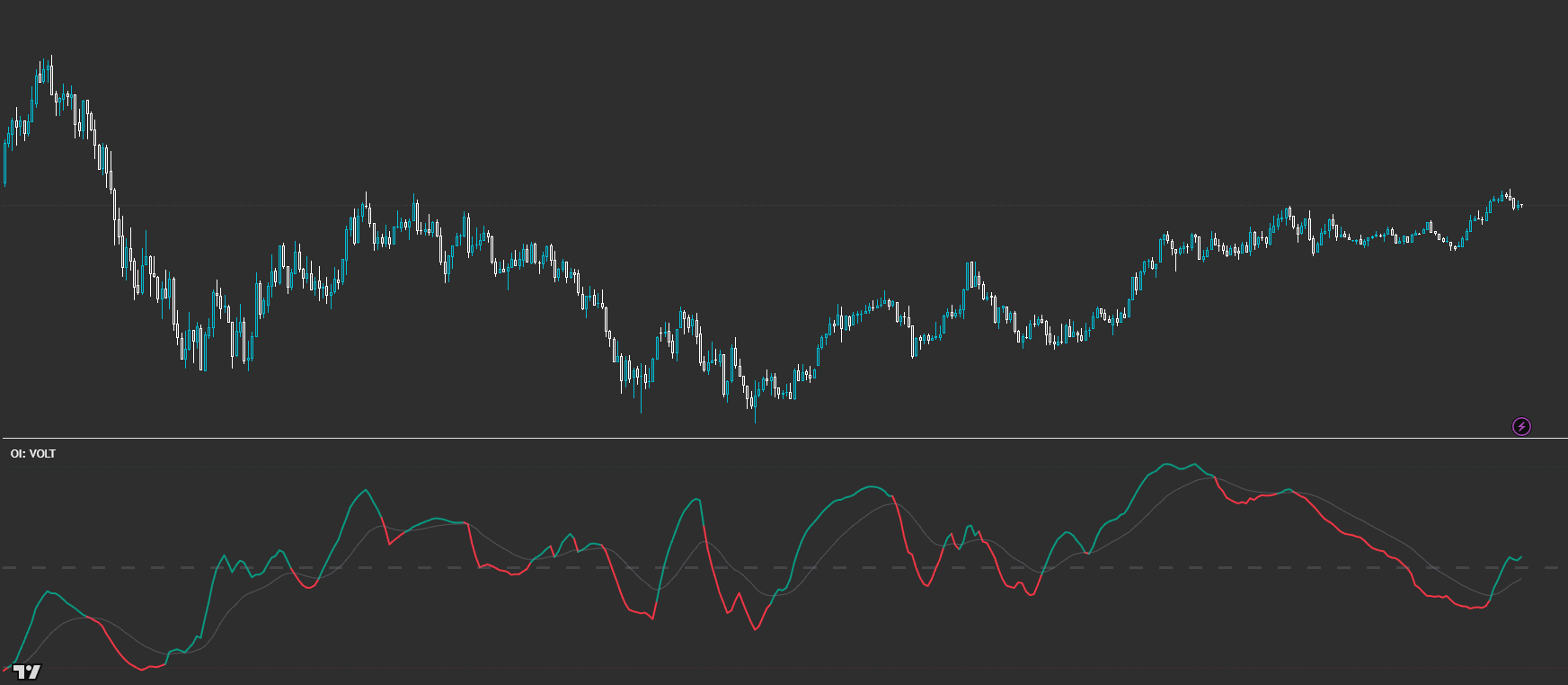
OI: VOLT
Directional context from pressure — read the bias, don’t trade the cross. Powered by VOLT Bias Engine (CVD × CLM Dir × Dual VDE × VP Structure).
VOLT is a context oscillator built from multi-timeframe CVD pressure, liquidity/regime gating (CLM + Dual VDE), and structure weighting from Volume Profile. It’s designed to answer one question: ‘Which side has the advantage right now?’ The key is where the bias sits relative to the centre line and whether it’s strengthening or fading — not crossover hunting.
Built for readable states and repeatable workflows — not indicator overload.
Designed to improve timing and decision quality while keeping the chart clean.
Sensible controls grouped logically — start with defaults, then tune for your market and session habits.
Access is managed via originalindicators.com — purchase, submit your TradingView username, and you’ll be added to the invite-only list.
A single bias line that lives above/below the centre line (0) on a -1..+1 scale
Colour shifts that reflect bias vs its smoothing/MA (optional)
Reference bands for strong bias zones (e.g., +/− high-bias levels)
Optional debug plots for LTF/HTF branch influence (advanced users)
Step 1 — Read location: above 0 = bullish context, below 0 = bearish context, near 0 = neutral/stand-down.
Step 2 — Read direction: rising bias = strengthening advantage, falling bias = fading advantage (even if still above/below 0).
Step 3 — Use it as a gate: only look for longs when VOLT is sustainably above 0 and improving; shorts when below 0 and worsening.
Step 4 — Time entries with structure (PD/levels/VP). VOLT tells you the side — price structure tells you the ‘where’.
Step 5 — If it’s chopping around the centre: reduce size, tighten rules, or don’t trade.
Best for
- Filtering direction before you execute (bias first, entries second)
- Avoiding ‘flat chop’ by recognising neutral / low-quality participation
- Session trading where you want a consistent context layer
- Combining with structure tools (PD/VP levels) for better timing decisions
Not ideal for
- Trading it like a classic crossover indicator (that’s not the intent)
- Treating the 0-line as a mechanical entry trigger
- Forcing signals in low-participation / muted conditions
- HTF to compute on (sets your ‘macro’ pressure context)
- CVD smoothing + pressure smoothing (reduce noise, especially on lower TFs)
- Bias smoothing length (how ‘sticky’ the bias feels)
- Enable/disable VP structure weighting (if you want bias to respect auction structure more)
- Enable modulation/alignment layers (leave defaults first; tweak only after you learn the baseline)
Avoid over-tuning early
Start with defaults, learn the states, then tune for your main market and session habits. The edge comes from consistent execution, not constant parameter chasing.
Is VOLT a crossover entry system?
No. VOLT is a context tool. The important read is (1) where the bias sits vs the centre line and (2) whether it’s strengthening or fading — not simply crossing a line.
How do I actually trade with it then?
Use it to choose direction and avoid bad conditions. Then execute using your structure rules (PD/levels/VP), with VOLT acting as the directional filter.
What does ‘near the centre line’ mean?
It usually signals neutrality, rotation risk, or low-quality participation. In those conditions, it’s often better to wait for clearer separation and slope.
Why does VOLT use multiple engines?
Because raw pressure alone can be noisy. VOLT blends closed-source context (CLM / Dual VDE) with pressure and structure weighting so the bias behaves more like a decision layer than a twitchy signal generator.
Works across assets and timeframes — best used as a decision layer alongside your execution model.
Get Access