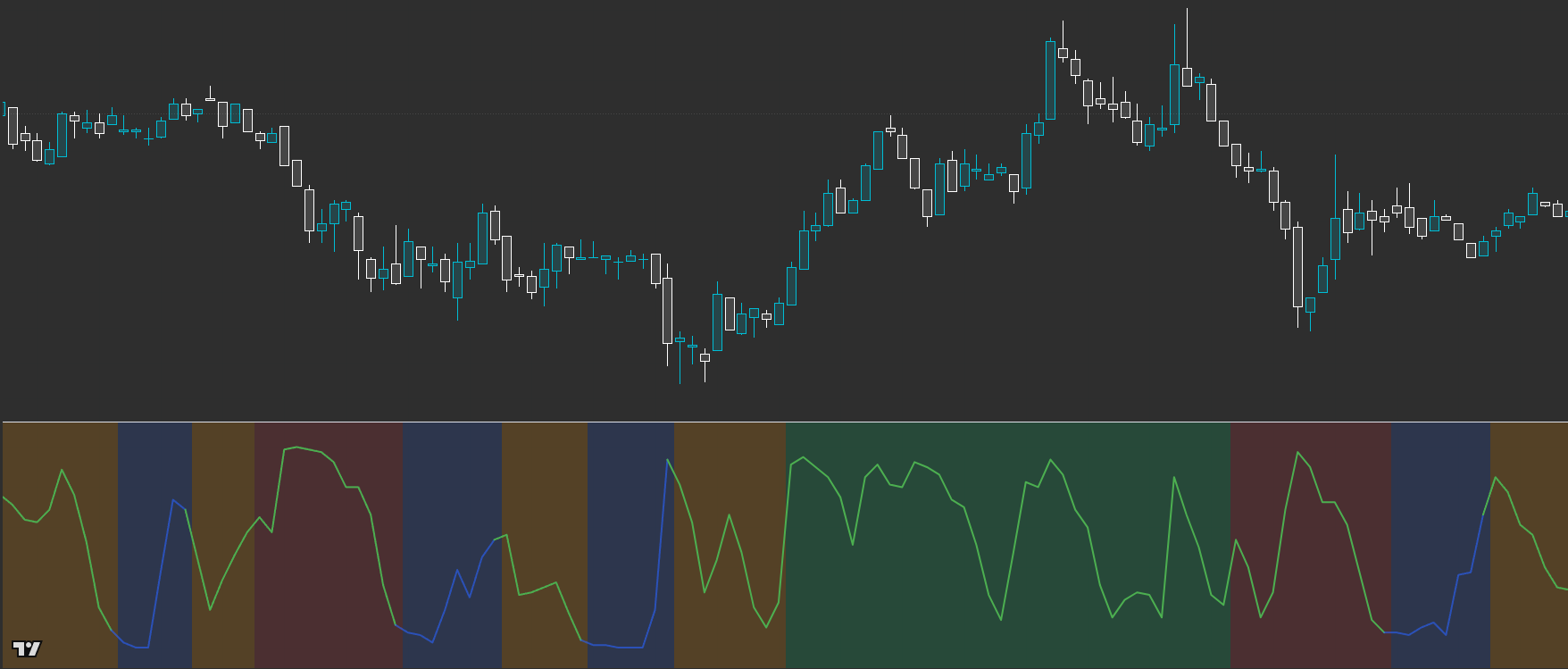
OI: Regime Map
Know the market mode in one glance: Contraction → Expansion → Trend. Powered by CLM Regime Engine.
A regime classifier that maps market behaviour into Contraction → Expansion → Trend so you can align expectations, risk, and tactics with the current phase.
Built for readable states and repeatable workflows — not indicator overload.
Designed to improve timing and decision quality while keeping the chart clean.
Sensible controls grouped logically — start with defaults, then tune for your market and session habits.
Access is managed via originalindicators.com — purchase, submit your TradingView username, and you’ll be added to the invite-only list.
Background regime shading (C / E / T)
Energy / pressure readout for timing and “readiness”
Optional trend tint + transition emphasis for breakout windows
Start each session by identifying the current regime.
In Contraction: plan levels and keep risk tight; be selective.
In Expansion: expect volatility; wait for clarity and avoid chasing.
In Trend: execute your trend model with more confidence and clearer invalidation.
Use it as a gate: only take setups that fit the current phase.
Best for
- Context filtering before you execute
- Reducing chop by matching tactics to phase
- Any asset / timeframe where regime shifts matter
Not ideal for
- “One-click signals” expectations (it’s a context layer)
- Dead sessions / low participation conditions (use your filters)
- Visuals (shading intensity / plots on/off) for clarity
- Trend direction source (if you prefer a specific style of tint)
- Participation / low-activity guard (if enabled in your build)
Avoid over-tuning early
Start with defaults, learn the states, then tune for your main market and session habits. The edge comes from consistent execution, not constant parameter chasing.
Is this a signal generator?
No — it’s a regime / context layer. It helps you choose the right playbook for the market phase.
Do I need other indicators?
No. It pairs well with other OI tools, but it also works alongside your existing execution model.
Does it work across markets?
Yes — it’s designed to be asset-agnostic. Best results come from applying consistent session/timeframe habits.
Works across assets and timeframes — best used as a decision layer alongside your execution model.
Get Access